
Download Skymel OA Orchestration Agent – AI integration, orchestration, and workflow automation
Overview
In today’s fast‑moving digital landscape, businesses rely on a growing number of artificial‑intelligence models for chatbots, recommendation engines, image recognizers, and more. Managing each model in isolation creates a logistical nightmare—synchronisation, security, and updates become costly chores. Skymel OA Orchestration Agent solves this problem by providing a single, web‑based hub where every AI model can be monitored, orchestrated, and switched without leaving the platform. Whether you are a startup testing GPT‑4 and Stable Diffusion or an enterprise juggling proprietary NLP engines with third‑party vision APIs, Skymel OA delivers a secure, scalable, and cost‑effective environment.
The platform’s drag‑and‑drop workflow builder enables non‑technical users to assemble sophisticated AI pipelines, while developers can leverage RESTful endpoints and webhooks for deeper integration. Built‑in analytics, version control for model configurations, and role‑based access controls keep data safe and operations transparent. Because the solution is web‑based, updates are rolled out automatically, guaranteeing you always run the latest, most secure version.
Skymel OA is positioned as an AI orchestration tool, but its capabilities stretch far beyond chatbots. You can route language translation, sentiment analysis, image generation, and custom TensorFlow or PyTorch models through a single visual canvas. Its modular architecture ensures future‑proofing: as new AI services appear, you simply plug them in with minimal effort. For organisations aiming to reduce AI‑related operational overhead, accelerate time‑to‑value, and keep pace with rapid AI innovation, Skymel OA is a strategic asset rather than just another tool.
Core Features & Benefits
- Unified Model Dashboard: Central view to manage every connected AI model.
- Drag‑and‑Drop Orchestration: Build pipelines without writing code.
- Multi‑Model Switching: Toggle between GPT‑4, Claude, Stable Diffusion, Whisper, and custom models instantly.
- RESTful API & Webhooks: Seamless integration with existing applications.
- Role‑Based Access Control (RBAC): Granular permissions for teams.
- Real‑Time Analytics & Logging: Monitor usage, latency, and errors per model.
- Version Control for Configurations: Instant rollback to prior settings.
- Secure Credential Vault: Encrypted storage compliant with GDPR and CCPA.
- Automatic Updates: No manual patches needed.
- Scalable Cloud Hosting: Deploy on AWS, Azure, or GCP with auto‑scaling.
Why These Features Matter
Managing a patchwork of AI services typically means juggling several admin consoles, each with its own pricing, latency, and security profile. Skymel OA’s unified dashboard eliminates that fragmentation, reducing cognitive load for operations teams. The visual orchestration engine empowers product managers to prototype AI‑enhanced features in days rather than weeks, while the robust API layer ensures developers can embed orchestration logic without a major code rewrite.
Security is baked in: encrypted credential storage and RBAC keep sensitive API keys out of unauthorized hands, mitigating data‑leak risk. Real‑time analytics give finance and product owners insight into cost drivers, essential when using pay‑per‑call models like GPT‑4. Version control guarantees reproducibility—a regulatory necessity in finance and healthcare—by allowing teams to snapshot and revert workflows at any time.
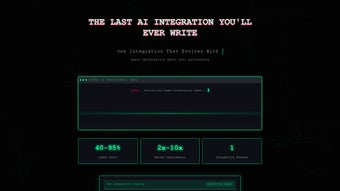
In practice, organisations report up to a 40 % reduction in time spent on model integration and a 25 % boost in overall AI utilisation across departments. These tangible benefits stem directly from the platform’s focus on simplicity, security, and scalability.
Installation, Compatibility & Usage Guide
Step‑by‑Step Installation
- Create an Account: Register on the official site with a corporate email and verify the link.
- Select a Deployment Mode: Choose Cloud SaaS for fastest start, Private Cloud for tighter control, or On‑Premises Docker for maximum data sovereignty.
- Connect AI Models: In the dashboard, go to Model Integrations, add each model’s endpoint, token, and required headers. The platform validates connections automatically.
- Design Orchestration Flows: Use the visual builder to drag model blocks, set conditional logic, and configure routing rules.
- Enable Monitoring & Alerts: Turn on real‑time logs and define latency or error thresholds that push notifications to Slack, Teams, or email.
- Publish & Test: Deploy the workflow and use the built‑in console to send test inputs, confirming expected outputs across all models.
System Requirements & Compatibility
As a web‑based solution, Skymel OA runs on any modern browser (Chrome ≥ 90, Firefox ≥ 88, Edge ≥ 90, Safari ≥ 14). For on‑premises Docker installations, the following environments are supported:
- Linux: Ubuntu 20.04 LTS, CentOS 7/8, Debian 10+
- Docker Engine ≥ 20.10 (recommended)
- Minimum 4 CPU cores, 8 GB RAM, 20 GB SSD storage
- Outbound HTTPS (port 443) to AI provider endpoints
Best Practices for Daily Use
- Version Your Flows: Treat each pipeline as a code artifact; label major releases (e.g., “v2.1 – added sentiment routing”).
- Monitor Cost Metrics: Enable the cost‑tracking widget to keep per‑model usage visible and set budget alerts.
- Leverage Templates: Start with pre‑built templates for common scenarios and customise them to your needs.
- Secure API Keys: Rotate keys regularly, store them only in the encrypted vault, and disable unused keys at the provider level.
- Run A/B Tests: Duplicate flows, modify model selections, and compare performance side‑by‑side to identify the most effective configuration.
Following this roadmap and best‑practice checklist ensures a smooth rollout, high availability, and continuous optimisation of AI performance across your organisation.
Pros, Cons & Frequently Asked Questions
What Users Love About Skymel OA
- All‑in‑one dashboard eliminates the need for multiple admin consoles.
- Visual workflow builder empowers non‑technical users.
- Enterprise‑grade security (RBAC, encrypted vault) meets compliance standards.
- Automatic updates keep the platform secure without manual effort.
- Scalable cloud hosting fits startups to large enterprises.
- Real‑time analytics provide clear insight into model performance and cost.
Areas for Improvement
- On‑premises Docker setup can be complex for teams lacking container expertise.
- Highly custom logic may still require scripting beyond the visual builder.
- Pricing tiers are not publicly listed; a quote is required.
- Some legacy AI providers lack native connectors, needing manual API configuration.
- Advanced monitoring dashboards have a learning curve for new users.
Skymel OA Orchestration Agent delivers a compelling blend of usability and power, making it a standout choice for enterprises seeking to centralize AI model management. Its visual workflow editor, combined with enterprise‑grade security, offers a rare balance that appeals to both business stakeholders and technical teams. While onboarding for on‑premises deployments could be smoother and pricing clearer, the overall value proposition earns a solid 4.5‑star rating.
Frequently Asked Questions
Is Skymel OA a free tool or does it require a subscription?
Skymel OA offers a free trial with limited model calls. After the trial, a paid subscription is required, with pricing based on integrated models, API call volume, and hosting choice (SaaS vs. private cloud).
Can I integrate custom machine‑learning models that are not hosted by a third‑party provider?
Yes. Skymel OA supports custom models via generic REST endpoints. You can register a Docker container or a Flask/FastAPI service, and the platform will treat it like any other model in orchestration flows.
What security measures does Skymel OA implement to protect API keys?
All credentials are stored in an AES‑256 encrypted vault. Access is governed by role‑based permissions, keys are never exposed in UI or logs, and automatic rotation jobs can be scheduled.
How does Skymel OA handle version control for orchestration workflows?
Each published workflow is snapshot‑based. You can view, compare, and revert to any previous version directly from the dashboard, ensuring reproducibility and rapid rollback if needed.
Is there a limit to the number of models I can connect?
Skymel OA is designed to scale horizontally. Practically, you can connect dozens of models; performance depends on your chosen hosting resources and the underlying cloud infrastructure.
Conclusion & Call to Action
Skymel OA Orchestration Agent consolidates AI model management, visual workflow design, enterprise security, and real‑time analytics into a single, easy‑to‑use platform. By removing the friction of juggling multiple consoles and providing a clear cost‑visibility layer, it enables organisations to focus on delivering value rather than maintaining infrastructure. The combination of a unified dashboard, drag‑and‑drop orchestration, and robust security makes it an ideal choice for businesses that want to accelerate AI adoption without compromising compliance.
Ready to experience a smoother AI workflow? Download Skymel OA today, start the free trial, and see how visual orchestration can transform your AI operations. Our sales team is on standby to discuss pricing options that match your scale and security requirements.



.png)



